

New EA Model Configuration Features for Precise Data Retrieval
Overview
This update introduces new capabilities in the EA Model Configuration module, enabling finer control over how Graph Queries are executed. Users can now exclude selected packages from GraphQL queries, manage exclusions through a structured repository tree, and retrieve additional data types through the enhanced Generic schema.
Package Exclusion in Graph Queries
A new option has been added to the EA Model Configuration page that allows users to exclude specific package IDs from Graph Query results.
Navigation Path
Manage EA Models → Click Configure button from the Exclude Packages column of the respective model)
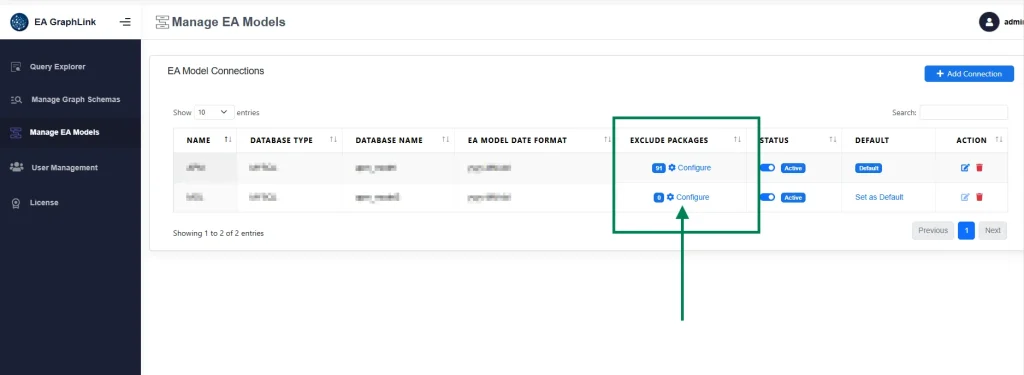
How It Works:
- When exclusions are enabled, all elements and diagrams within the selected packages are omitted from Graph Query responses.
- Only the chosen packages are excluded.
- Sub-packages are not excluded automatically unless they are selected separately.
Repository Tree for Package Selection
The Model Configuration page now features a repository tree view, making it easier to select packages for exclusion.
Key Capabilities
- Presents the complete repository structure with expandable nodes for convenient navigation.
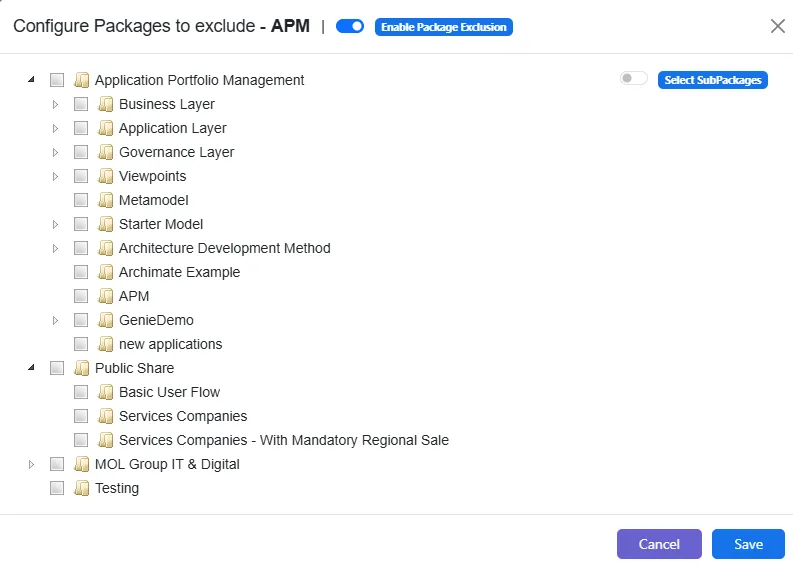
- Allows users to select or deselect individual packages.
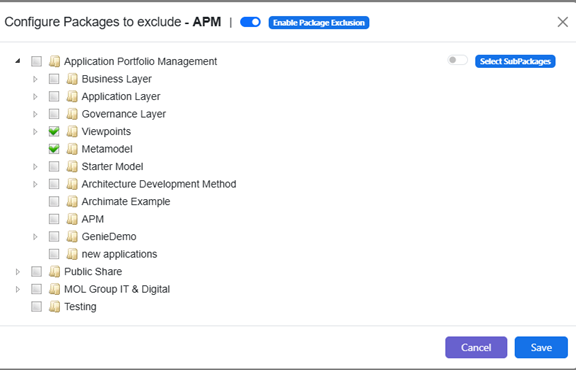
- Changes can be saved using the Save button.
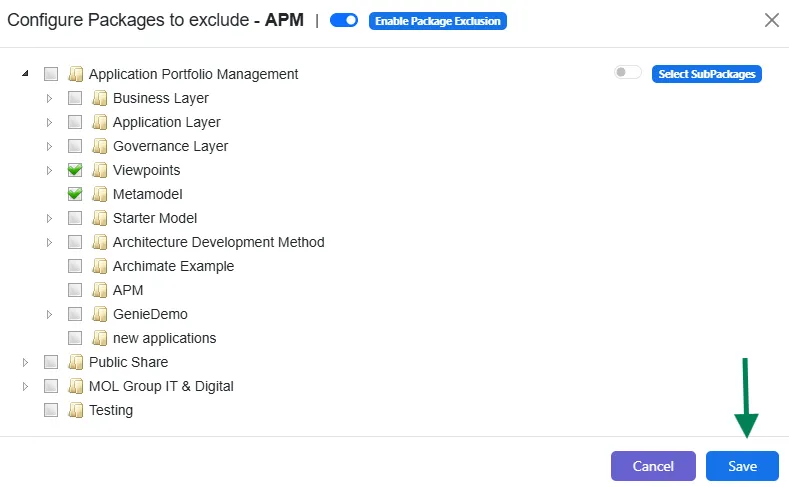
- All selected packages will be excluded during Graph Query execution.
Recursive Tree Selection Option
A new option named Select Sub Packages has been added to support recursive selection within the repository tree.
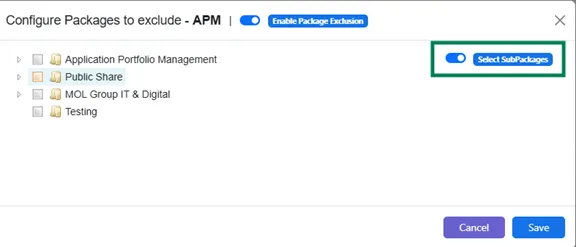
Behavior:
- When enabled, selecting a parent package automatically selects all its sub-packages down to the lowest level. All selected items are added to the exclusion list.
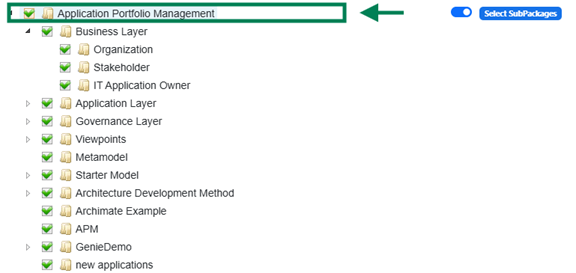
- Excluding a package also excludes all elements contained within it.
- After making changes, click Save to apply the configuration.
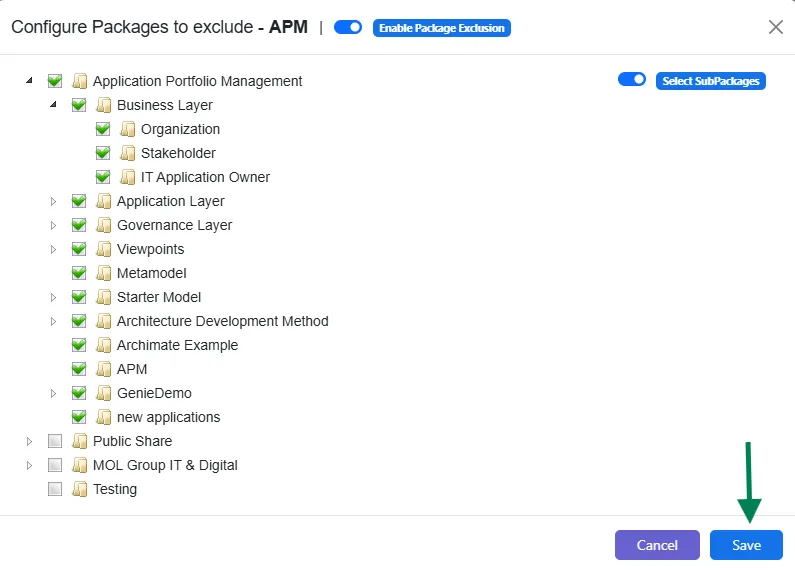
- When recursive selection is disabled, only the explicitly selected packages are excluded.
Package Exclusion Toggle (Overall Control)
An Enable Package Exclusion toggle has been added to manage the overall application of package exclusions.
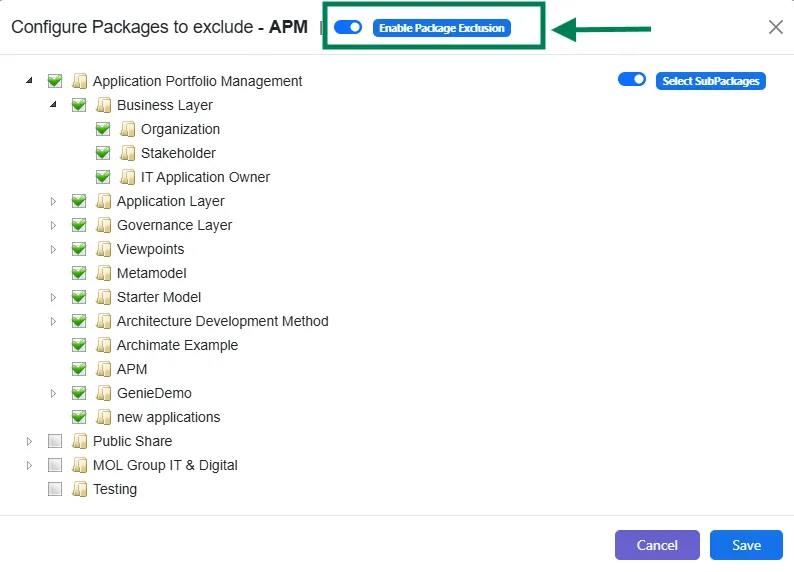
Behavior:
- When disabled, all exclusion rules are temporarily ignored during Graph Query execution.
- Previously configured exclusions remain stored and will take effect again once the feature is re-enabled.
- Re-enabling the option automatically restores the previously saved exclusion settings.